
Lend the network a little height
A repeater on your roof, pole, or hilltop can give a whole neighbourhood text messaging that keeps working when the power and cell towers don't. It's a small solar box that clamps on, runs itself, and costs you nothing. Here's everything that's involved in hosting one in Central Texas.
What would go on your property
The node is one compact, self-contained unit. It doesn't need anything from your building, and it's easy to take down.
A small sealed box
A weatherproof enclosure about the size of a large flashlight, holding the radio and a battery, with a short antenna on top. The whole thing weighs around two pounds.
Its own power
A small solar panel keeps the battery charged, and the battery carries it through the night and a run of cloudy days. Nothing plugs into your building.
Clamped, not drilled
It goes onto something that already exists, a mast, a pole, a railing, a vent stack, with magnets, U-bolts or hose clamps. No holes in your roof, no screws in your siding.
No internet
The radio talks to other radios over the air. It never touches your Wi-Fi, your network, or your phone line, and there is no bill attached to it.
What it looks like once it's up
Repeaters built by members of the community, in place. Each one is a single unit with its own panel, and the builds pages list every part that goes into them.
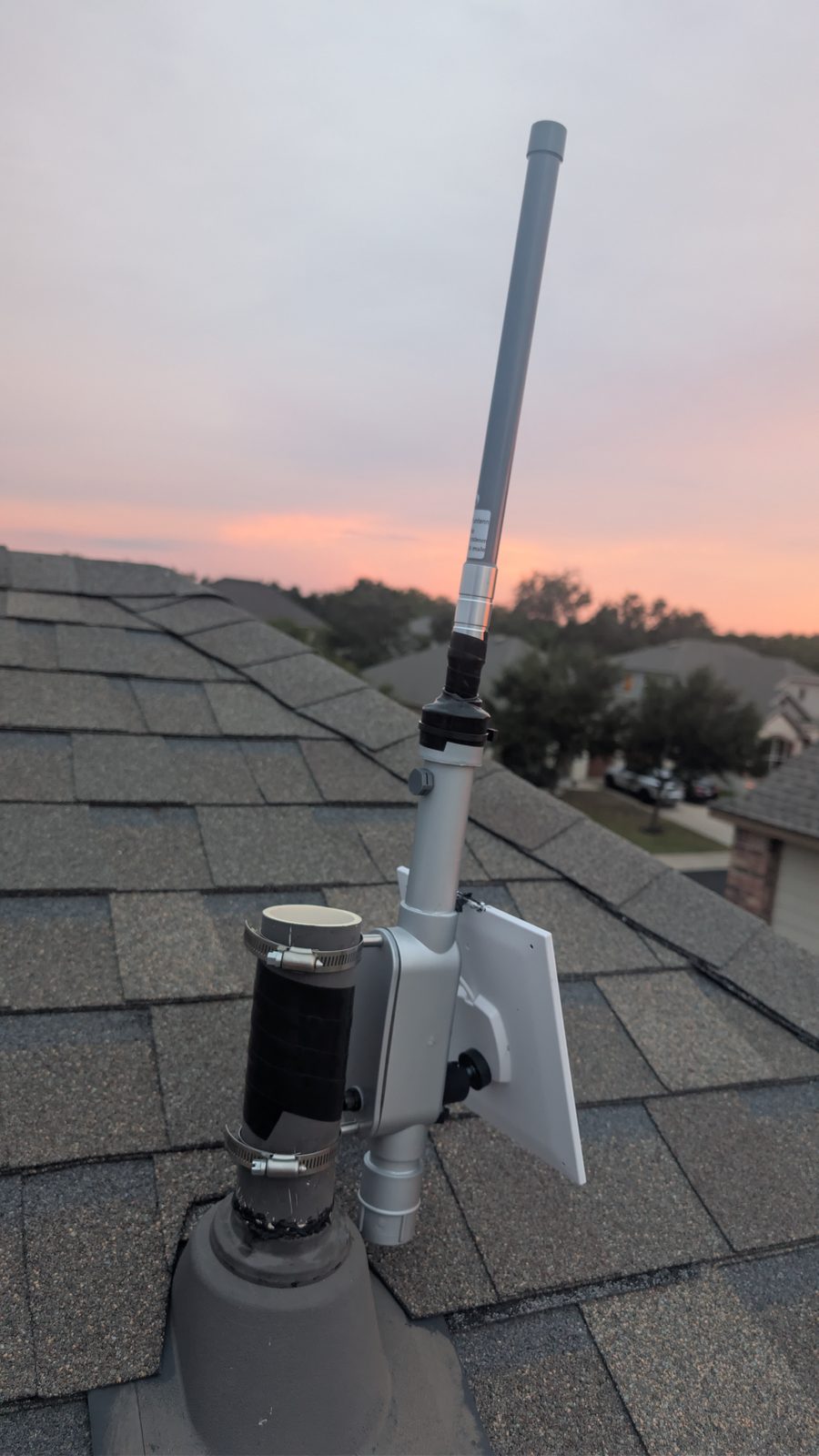
On a rooftop, catching the evening sun. Conduit build 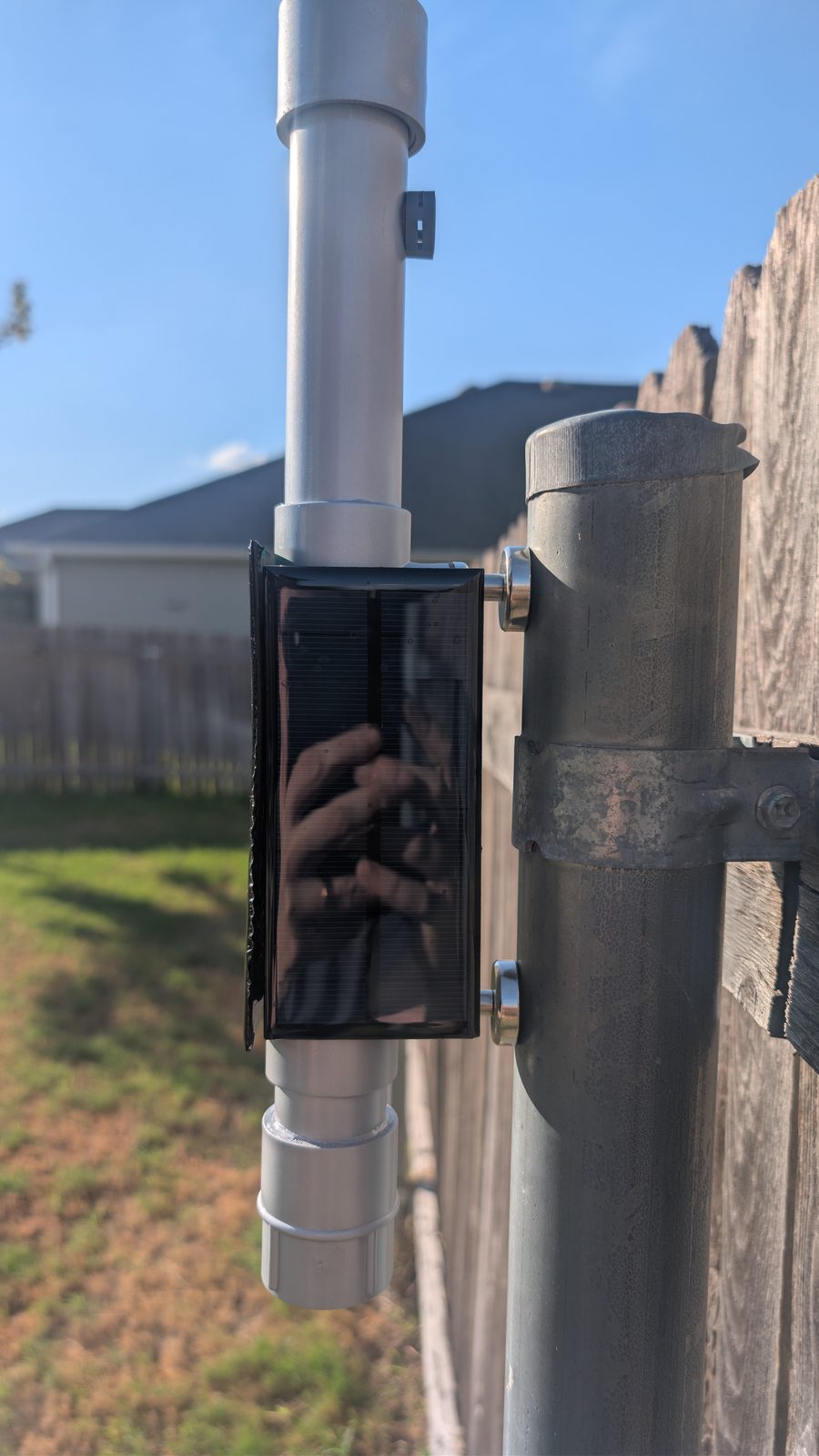
Held to a steel post by magnets. Conduit build 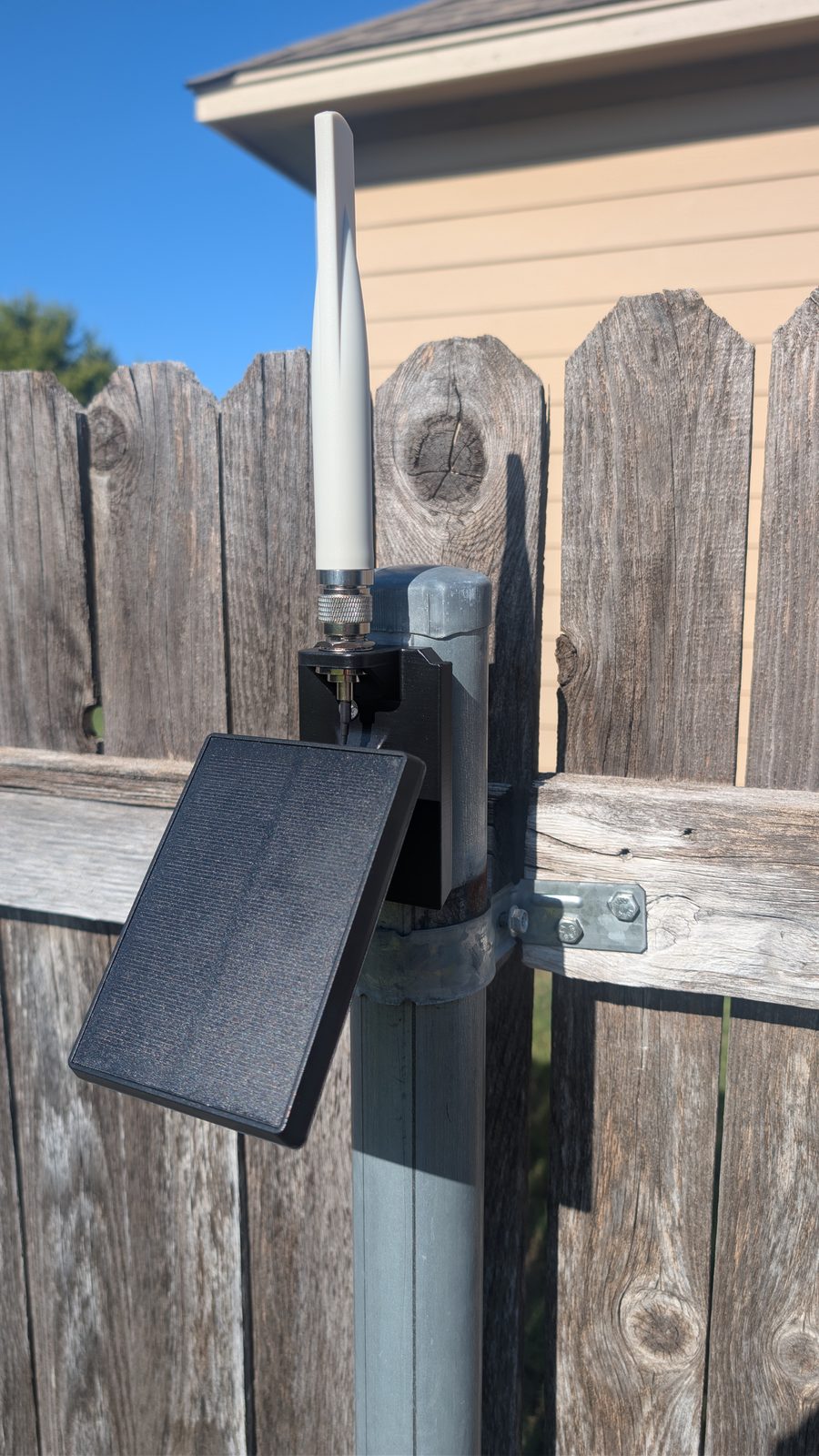
A solar spotlight turned repeater, on a fence post. Harbor Breeze build 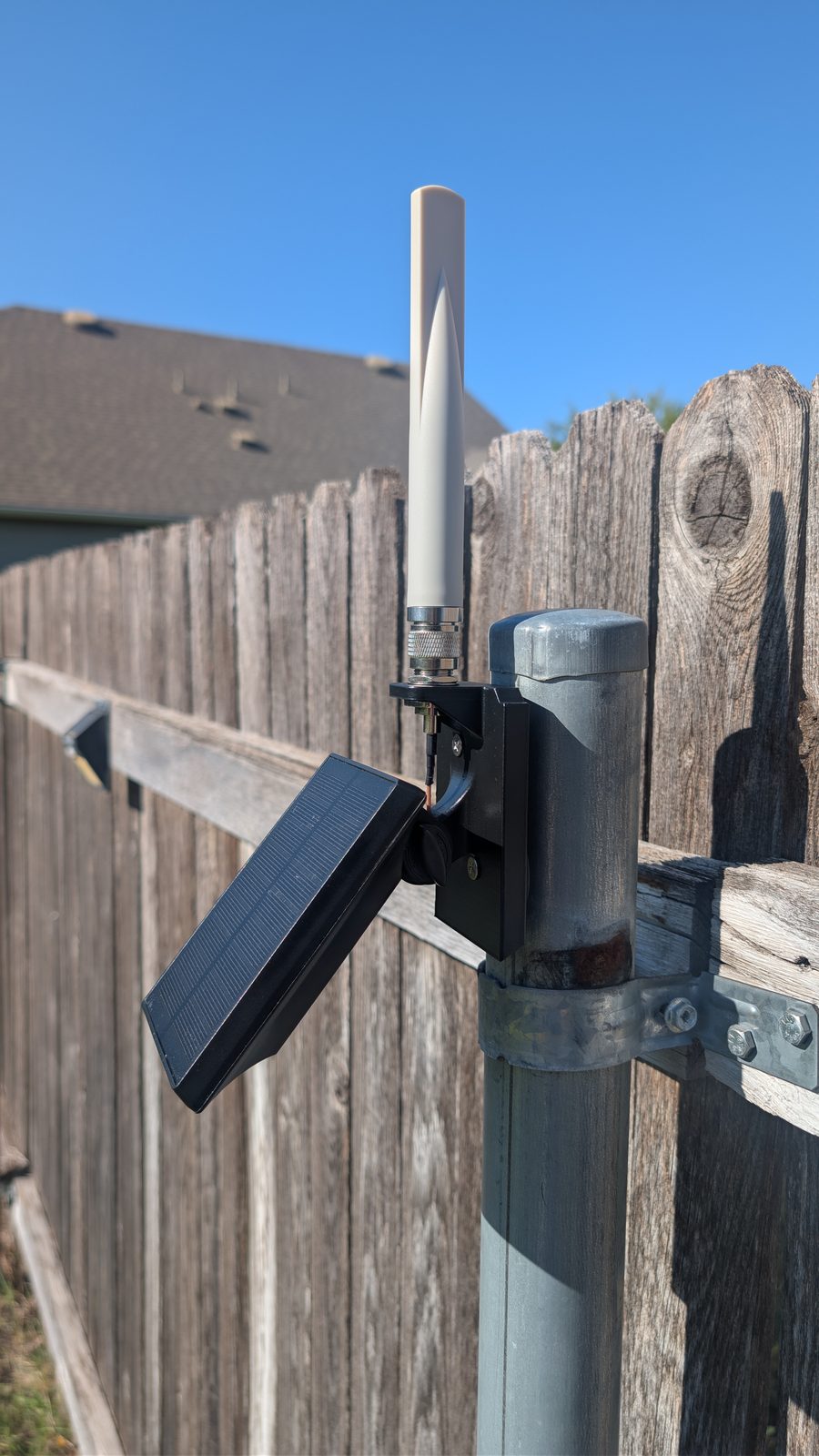
The same unit from the side, on a magnetic mount. Harbor Breeze build
What hosting asks of you, and what it doesn't
Hosting is meant to be close to effortless. The things a node needs from you are a good spot and your say-so. Everything else is on us.
- Needed:A spot with open sky and a view toward the surrounding area, the higher the better
- Needed:Your permission, and the owner's too if you rent
- Needed:Access for a short visit to install it, and once or twice a year after that, arranged ahead of time
- Not needed:Electricity, an outlet, or a cable run into the building
- Not needed:Internet access or a Wi-Fi password
- Not needed:Drilling, roof penetrations, or anything permanent
- Not needed:Money, a subscription, or a long-term contract
- Not needed:Any upkeep, checking on it, or knowing how it works
Why height is the whole game
LoRa radio travels by line of sight. A node at ground level is boxed in by houses, trees, and hills; the same node thirty feet up can see for miles. That's why a host matters more to the network than any piece of hardware.
Tall structures
Commercial rooftops, water towers, grain legs, windmills, flagpoles, light poles, and existing masts. Anything that already rises above its surroundings.
High ground
A hilltop or ridgeline with a view in several directions is worth more than a tall building in a valley. Much of the Hill Country is covered from a handful of these.
Steady and secure
Somewhere the node won't be bumped, shaded by new growth, or moved by accident, with all-day sun on the panel.
Not sure your property qualifies? Ask anyway. A modest site in the right place, near a gap on the coverage map, can matter more than an impressive one where coverage already exists.
Our node, or your own
Most hosts
We put up a node on your site
Comchan supplies the repeater, installs it, keeps it running, and takes it away when you're done. The hardware is paid for by donations and members, so it costs you nothing. All you provide is the spot.
If you're curious
You own the node yourself
Buy or build a repeater and it's yours outright, staying up as long as you like. Parts run from about $35 to a few hundred dollars depending on the build. Our repeater builds list every part, and volunteers will help you pick hardware, set it up, and get it mounted. Plan on a firmware update once or twice a year.
How it goes
- 01
Get in touch
Email support@comchan.net or find us through the community page. Tell us roughly where the property is and what kind of height it has: a roof, a pole, a hilltop, a tower.
- 02
We check the site
A volunteer runs the location through the mesh explorer to see what it can reach, then talks it through with you. Not every spot works out, and we would rather tell you that up front than put up a node that hears nothing.
- 03
Pick the spot together
You decide where it can and can't go. We'll suggest the mounting point that gets the best view and the most sun, and how it would attach.
- 04
Install
A short visit at a time that suits you. The node is clamped on, switched on, and checked from the ground to make sure it's talking to the rest of the mesh.
- 05
Forget about it
From then on it runs itself. Its health is watched remotely on the network analyzer, so if it ever needs attention, we'll know before you do and arrange a visit.
What property owners ask
If yours isn't here, ask us directly. There's no obligation in asking.
This is a community network
Who is liable if something happens?+
Do I need a permit, or HOA approval?+
Will it interfere with my Wi-Fi, TV, or phone?+
Is the radio safe to be around?+
Does it make a lightning strike more likely?+
Can it see my network or the messages it carries?+
Will my address show up on a map?+
How long do I have to keep it?+
Can it carry my business name?+
How far will it reach from my property?+
Have a roof, a pole, or a hill?
Tell us where it is and what's up there. We'll check what it could reach and get back to you, with no commitment either way.
support@comchan.net